What is a Counterparty Block Explorer?
Similar to a Bitcoin block explorer, a Counterparty Block Explorer is an explorer specifically for information coded in the OP_RETURN function of Bitcoin transactions, which is what Counterparty transactions are.
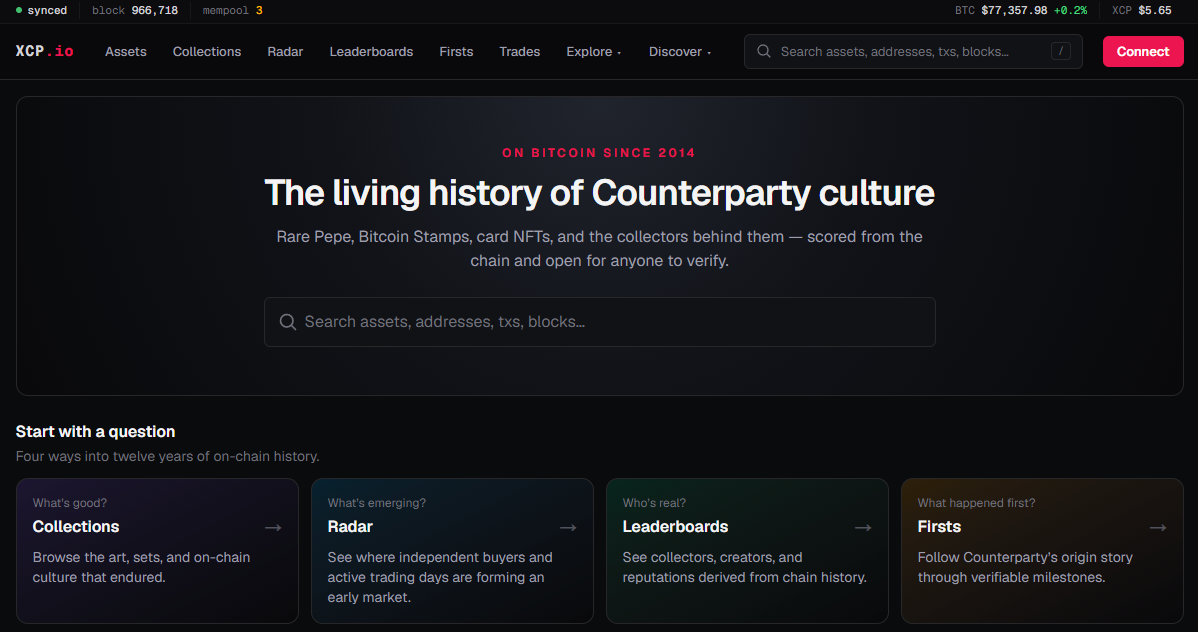
Below is a screenshot of the xcp.io Counterparty Block Explorer.
How do I read a Counterparty Block Explorer?
The same way you look up addresses or transaction ID's on a BTC block explorer, those same addresses and transaction ID's will now show Counterparty info as well. Counterparty transaction information is all public just like the Bitcoin blockchain is.
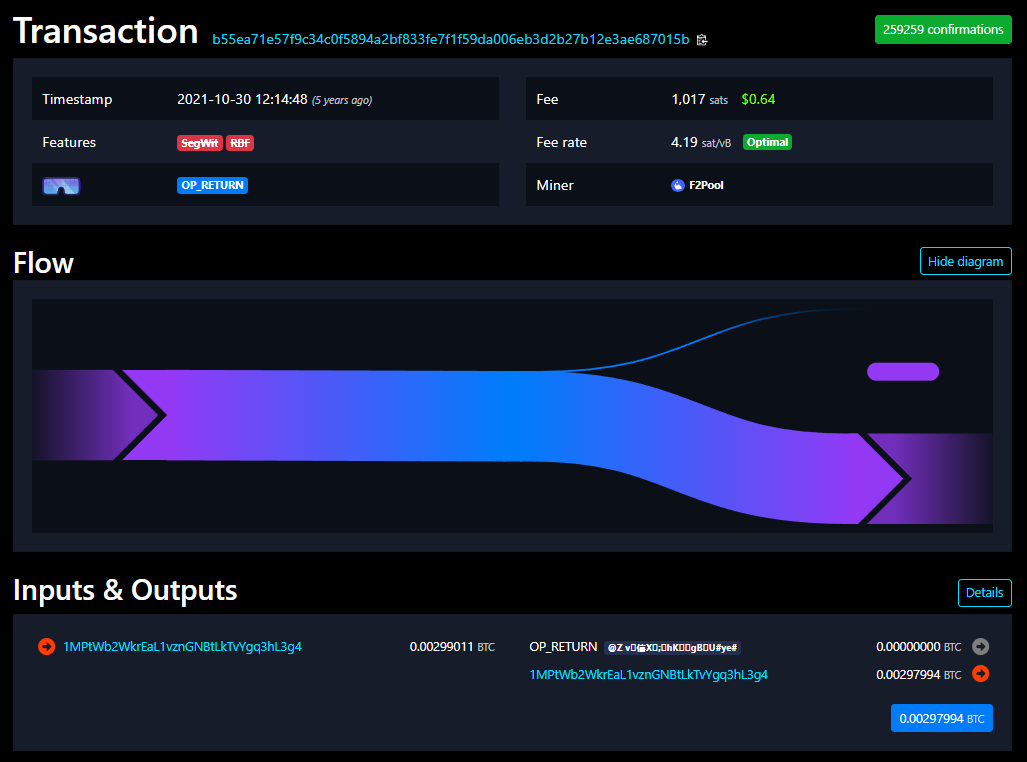
Below is a Counterparty transaction, but seen on a Bitcoin Block Explorer. This specific transaction was for the 'locking' action for the first Counterparty asset: TEST.
Notice how the sender address is also the receiving address but the transaction carries OP_RETURN data along with the transaction. Most Counterparty transactions will look like this since you are using only enough Bitcoin to cover the Bitcoin mining fee, the rest of your balance is returned to you.
Keep in mind some Counterparty functions don't just use OP_RETURN but also include other Bitcoin actions like Multi-Sig or even Taproot.
Not all Bitcoin transactions are Counterparty transactions, but all Counterparty transactions are Bitcoin transactions.
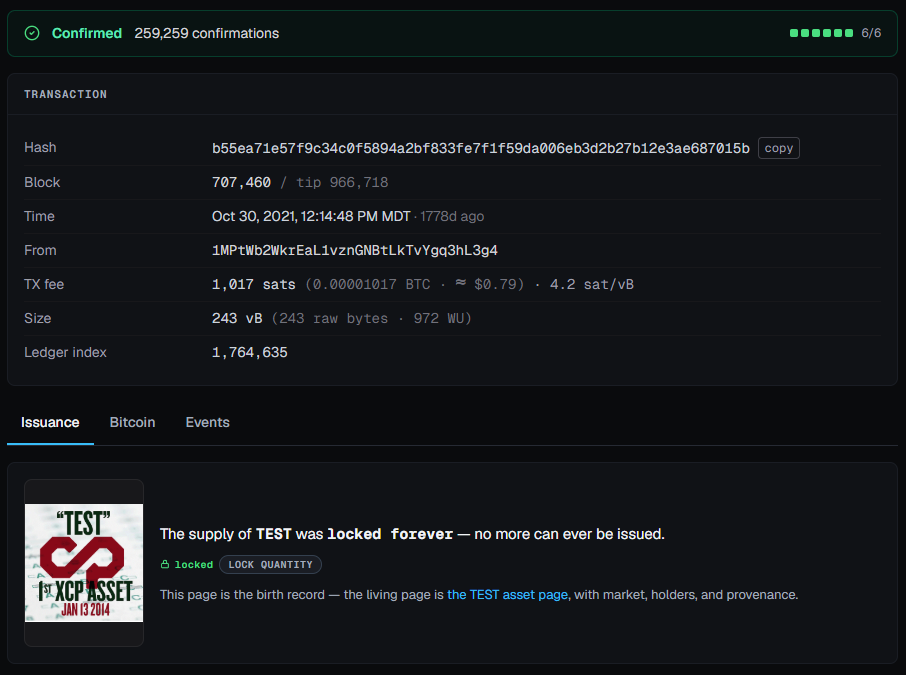
Below is the same transaction ID, but now shown on a Counterparty Block Explorer.
Some explorers focus on specific assets like STAMPS, specific markets like Atomic Swaps or specific projects like Rare Pepe. It is best to search around for your favorite and also understand which explorer shows which Counterparty functions or features projects you are interested in.
What functions are visible on a Counterparty Block Explorer?
The functions that can be seen on Counterparty Block Explorers for Counterparty transactions can include:
- Send and Receive History / Balance (BTC + all XCP Assets)
- Multiple Address Types (Legacy, SegWit, Taproot)
- Counterparty Asset Info (Named / Numeric / Subasset)
- Counterparty Inscriptions (on-chain Taproot)
- Counterparty Asset Supply (Locked, Divisible, Destroyed or Reset)
- Asset Description + Lock Description Data
- Memo Data within Transaction
- Dividend Data
- Sweep's Data + Debit / Credit Data
- Broadcast Data within Transaction
- Token Ownership of Asset Transfer Data
- Counterparty Decentralized Exchange Orders (Any Pair - Open and Closed)
- Open + Closed Dispensers (by Token or Hash)
- Open Fairmints
- XCP Asset's Attached/Detached to UTXO
- Atomic Swap history with UTXOs (BTC/PSBT markets)
- Sales Data in ETH / USD from Emblem Vault Markets
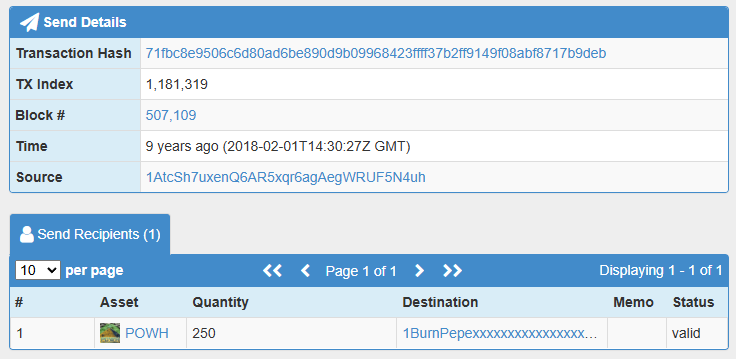
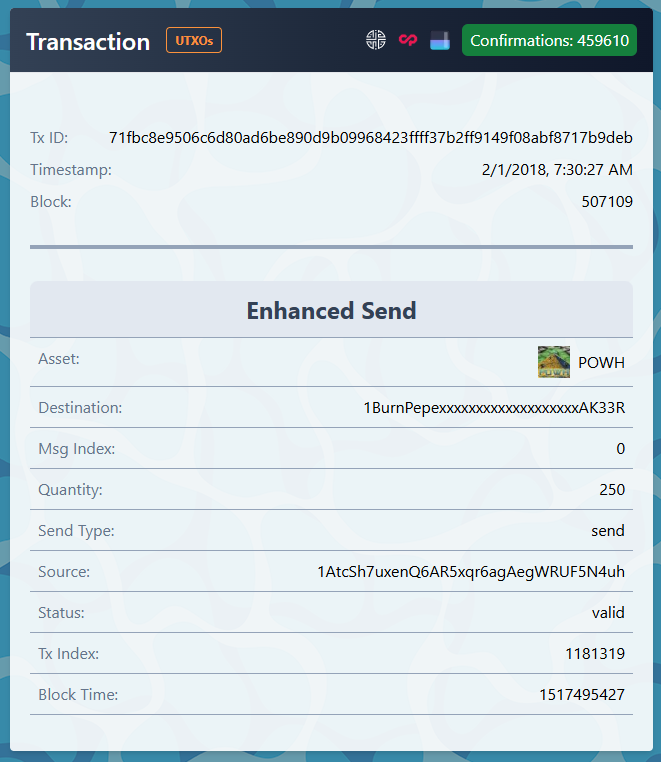
Below is an example of when all POWH tokens were sent to a burn address (so they could not be recovered), this transaction is not only a good piece of history but a good idea for what a Counterparty function looks like on a block explorer.
This example shown below is from the tokenscan.io Counterparty Block Explorer.
Should I only use one Counterparty Block Explorer to view Counterparty information?
Absolutely not! You should always verify Bitcoin and Counterparty transaction data from various sources.
Below is the same transaction of the POWH send from before, but just viewing on the memepool.wtf Counterparty Block Explorer.
Before taking action using any Counterparty function, it is very prudent to check data from multiple explorers and also very important know the extent of functionality for the Counterparty Wallet you would like to use.